We’re excited about Google’s new Labs creation, Google Page Creator. You can use it not only to easily design and publish web pages, but also monetize those pages using AdSense.
To assist publishers using Google Page Creator with code implementation, here are some instructions:
1. Log into your AdSense account at www.google.com/adsense .
2. From the AdSense Setup tab, customize and generate your AdSense code.
3. Copy the generated code from the 'Your AdSense code' box.
4. Log into your Google Page Creator account.
5. Select the web page you'd like to display AdSense ads.
6. Select the field where you'd like the ads to appear.
7. Click 'Edit HTML'.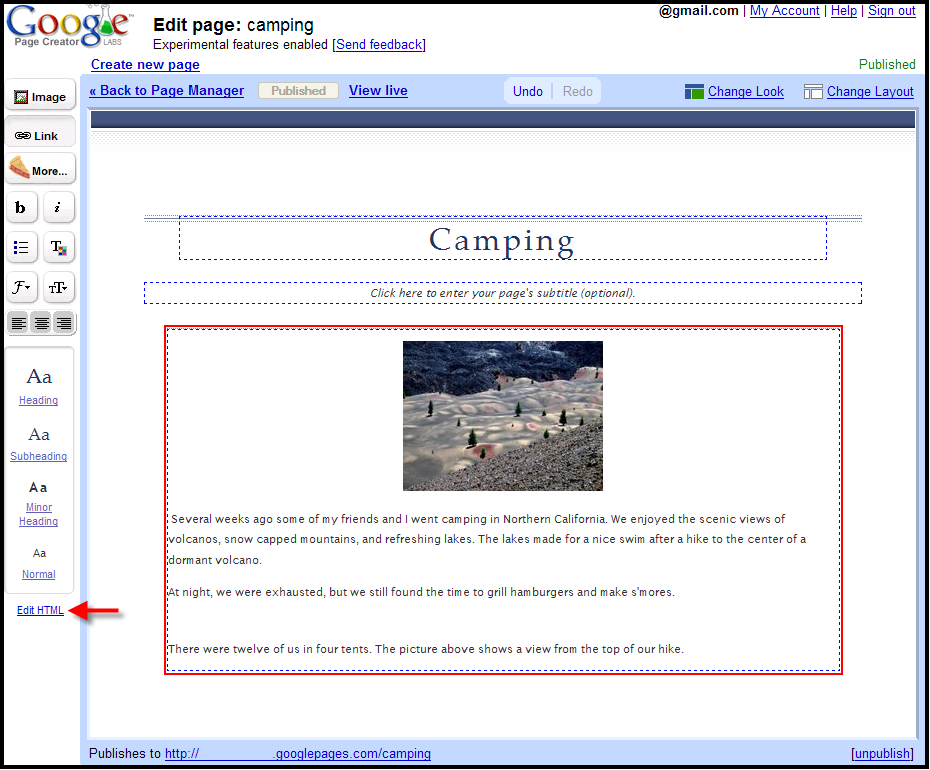
8. Paste the AdSense code in the HTML source code of the page. 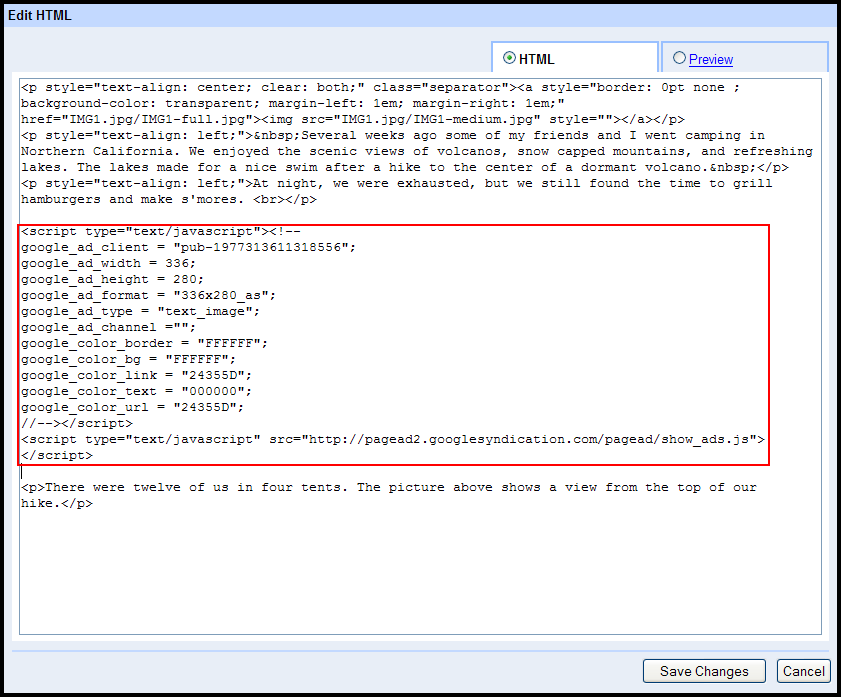
9. Click 'Save Changes'.
10. Publish your web page.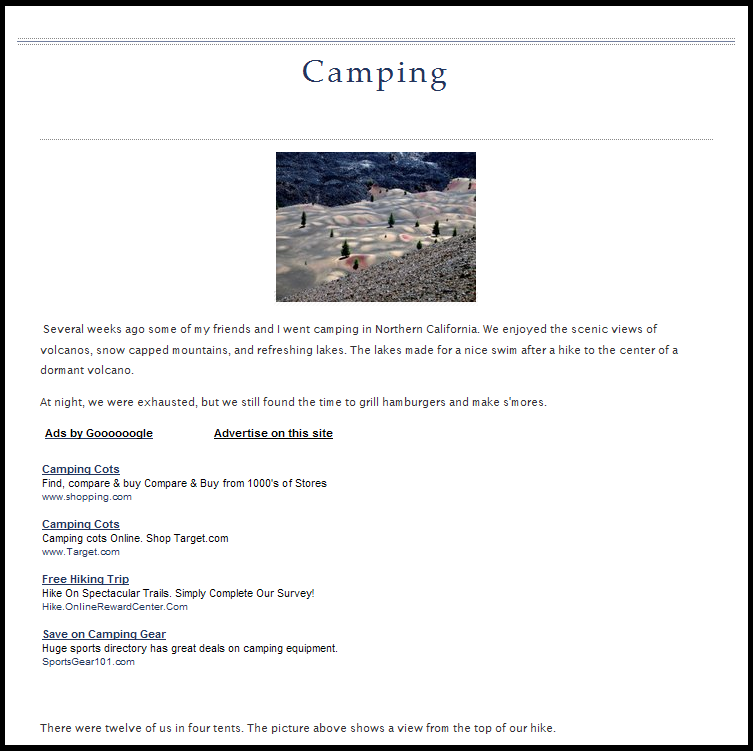
Your ads should appear shortly!
Monday, July 31, 2006
AdSense on Google Page Creator
Share this
Related Articles :
Subscribe to:
Post Comments (Atom)

Labels
AdSense features
94
Optimization
88
Other
69
Other Google products
42
Mobile
39
International
35
Program Policies
26
Tips
26
Multi-Screen
23
Case studies
21
Video
21
Content strategy
20
AdSense Interface
19
AdSense Team
19
Best Practice
19
Earnings/Reports
19
Payments
19
Ad formats
18
AdSense101
11
Tips to earn more
11
Viewability
11
adsense guide
11
Active View
9
Global
8
Produce update
8
googlenew
7
Ad layout
6
AdSense In Your City
6
Facts and Fiction
6
Feedback
6
Google Analytics
6
Learn with Google for Publishers
6
Matched content
6
Newbie
6
PageSpeed
6
download
6
DoubleClick
5
Education
5
Support
5
guide
5
micro-moments
5
AskAdSense
4
Certified Partners
4
Passion into profit
4
Social
4
Webinars
4
audience
4
eBook
4
engagement
4
AMP
3
Responsive
3
Google's Certified Publishing Partner
2
News
2
infographic
2
native ads
2
Appeal
1
Branding
1
CPT
1
CTR
1
Guest Blogger
1
Hangout on Air
1
Help
1
Japanese
1
Material Design
1
Monetization
1
Portuguese
1
Product update
1
RPM
1
Spanish
1
Troubleshoot
1
YouTube
1
get started
1
Powered by Blogger.
0 comments
Post a Comment